
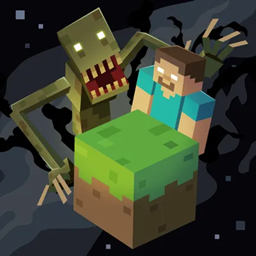
HORROR - One Block (dweller) Server Hosting
- 635.5K installs on CurseForge
- Forge 1.19.2, deployed in one click
- 6GB+ RAM on fast NVMe hardware
- Switch modpacks anytime at no cost
The classic one block experience, but with a horrifying twist!
HORROR - One Block (dweller) server hosting,
done right
HORROR - One Block (dweller) is a Forge modpack for Minecraft 1.19.2. Host it on Game Host Bros with one-click installation, 6GB of RAM, NVMe storage and DDoS protection, then invite your whole group with no per-slot fees.
Run HORROR - One Block (dweller)
without the headaches
Every plan ships with the full Game Host Bros panel and every feature below, tuned for modded Minecraft.
Easy Interface
Purpose-built panel that's simple for first-timers and powerful for pros.
Instant Setup
Your server is deployed and ready to play in under 60 seconds.
DDoS Protection
We block attacks before they reach your server. Included free.
Live Console
Real-time console with instant feedback on every command.
File Manager
Edit configs and upload worlds directly in the browser.
1-Click Mods
Swap between any of our 250+ modpacks with a single click.
Unlimited Slots
Invite as many friends as your resources can handle. We don't charge per slot.
Auto Backups
Daily automatic backups with one-click restore if something goes wrong.
How much RAM does
HORROR - One Block (dweller) need?
HORROR - One Block (dweller) runs best with at least 6GB of RAM. Pick a plan that matches how many people will be online. You can upgrade at any time as your server grows, so it is fine to start small.
How to install
HORROR - One Block (dweller)
Order your server
Grab a Minecraft plan with at least 6GB RAM, the amount we recommend for this pack. You can upgrade later if you add more players.
Open the panel
Login to your game panel with the credentials emailed to you after checkout.
Find the modpack
Head to the Modpacks tab, search, and select the pack you want to run.
Install and play
Click install, wait a minute, and connect - the server restarts into your modpack.
Need the full walkthrough? Read our guide to installing Minecraft modpacks.
Keep HORROR - One Block (dweller)
running smooth
Big modpacks ask a lot of the server. A few simple steps keep HORROR - One Block (dweller) stable for everyone, even during heavy exploration and automation.
Pre-generate the world
Run a chunk pre-generation before you play so the server is not building new chunks while people explore. This is the single biggest fix for lag spikes on HORROR - One Block (dweller) .
Allocate enough RAM
Give HORROR - One Block (dweller) at least 6GB. Too little RAM causes stutters and crashes; our plans make it a one-click upgrade.
Use fast hardware
Modded Minecraft is single-thread heavy, so CPU clock speed matters. Every plan runs on high-clock AMD CPUs with NVMe storage by default.
For step-by-step instructions, see our modpack installation and troubleshooting guide.
Hear it from
the players
Sourced from around the web.

HORROR - One Block (dweller)
hosting FAQ
Start your
HORROR - One Block (dweller) server
Join thousands of players running modded Minecraft with Game Host Bros. One click, no config headaches.