
Brickadia server hosting
Your Brickadia server is ready in under 60 seconds and stays online 24/7, so your crew can jump in whenever they like.
- Give players Admin or Moderator roles
- Keep your server private or list it publicly
- Upload your own worlds or start new ones
- Admin tools to manage players and builds
 New York

Pick your Brickadia plan.
Every plan includes the full Bropanel, DDoS protection and daily backups. Upgrade, downgrade or switch games any time.
4 GB RAM
Best for a few friends
Location
$7.99/mo
8 GB RAM
Best for a community
Location
$15.99/mo
16 GB RAM
Best for busy servers
Location
$31.99/mo
Custom
Pick the exact RAM, CPU, storage and location you need. Full control.
- 7-day money-back on your first order
- Free transfers from your old host
- Upgrade, downgrade or cancel any time
Live before the group chat replies.
Check out and your Brickadia server sets itself up. In under 60 seconds there's an address to drop in the chat. No port forwarding, no PC left on all night.
You play. Bropanel does the rest.
Their latest control panel update is excellent it's much more user-friendly and easier to manage
Every setting, a click away
Rename the server, raise the player cap or tweak the world, then hit save. No digging through config files.
Set-and-forget schedules
Restarts and backups that run themselves while you sleep.
Invite your squad
Give friends access, with exactly the permissions you choose.
Every file, in your browser
Edit configs and upload worlds right in the panel. SFTP too.
Everything in one place
Console, backups and databases, a click apart.
Not just Brickadia.

Your Brickadia server can switch to any game we host whenever the group wants something new, at no extra cost. Larger games may need a plan upgrade.


Close to your crew.
Pick the one nearest your friends from 14 locations across North America, Europe and Asia Pacific. If the crew moves, your server can too.
A top tier hosting company with newly updated hardware I wouldn't go anywhere else
 LondonMoved
- AMD Ryzen 9 9950X
- DDR5 RAM
- NVMe SSDs
- 10Gbps network
- DDoS protection
Questions, answered.
Still stuck? The team is on Discord and tickets 24/7.
The service is designed to take the hard stuff, make it easy, and if you get stuck they provide the best support.
How Quickly Can I Start Playing After Placing My Order?
Your Brickadia server deploys automatically after payment and is ready to join in under 60 seconds. Check your email for login details to access the game panel.
Can I Make My Brickadia Server Private?
Yes. Turn off public listing in the panel so your server doesn't show in the server browser, and add a password if you want. Friends then join by address with Manual Connect. See our private server guide.
Can I Switch My Server To A Different Game Later?
Yes. You're not locked in to Brickadia. Switch your server to any other game we host at any time from the panel at no extra cost. Larger games may need a plan upgrade.
What Are Your Game Server Locations?
We have servers in the following locations: • United States: Los Angeles, Dallas, Ashburn, New York, Miami, Portland, Chicago • Canada: Montreal • United Kingdom: London • France: Gravelines, Paris • Germany: Frankfurt • Japan: Tokyo • Singapore: Singapore
What Hardware Does Game Host Bros Use?
All servers run on high-spec AMD hardware with NVMe SSDs and 10Gbps connections. See our full hardware specifications by region.
Can I Transfer My Existing Brickadia Server To You?
Yes, we offer free server transfers. Check our guides for Brickadia-specific transfer instructions, or reach out on Discord for help.
Do You Offer Refunds?
Yes. Every new server comes with a 7-day money-back guarantee. If it's not right, request a full refund within 7 days of your first order. See our refund policy for details.
What Is The Uptime Of Your Game Servers?
Our uptime over the past 12 months has been between 99.7% and 99.9%. Check our current status.
Do You Offer FTP Access To The Server?
Yes, we provide SFTP access and a web-based file browser in the control panel for managing your Brickadia server files.
What Is The Maximum Number Of Players Allowed?
You can set any player count the game supports. We charge based on resources used, not player slots.
Do You Provide Technical Support?
Yes, check our guides as we cover most things you'd want to do with your server. You can also open a support ticket or reach out on Discord.
Can I Have Multiple Game Servers On One Account?
Yes, you can manage unlimited game servers from one account. You can also create sub-users with specific permissions to let staff manage designated servers.


About Brickadia.
- Developer
- Brickadia, LLC
- Publisher
- Brickadia, LLC
- Platforms
- Steam
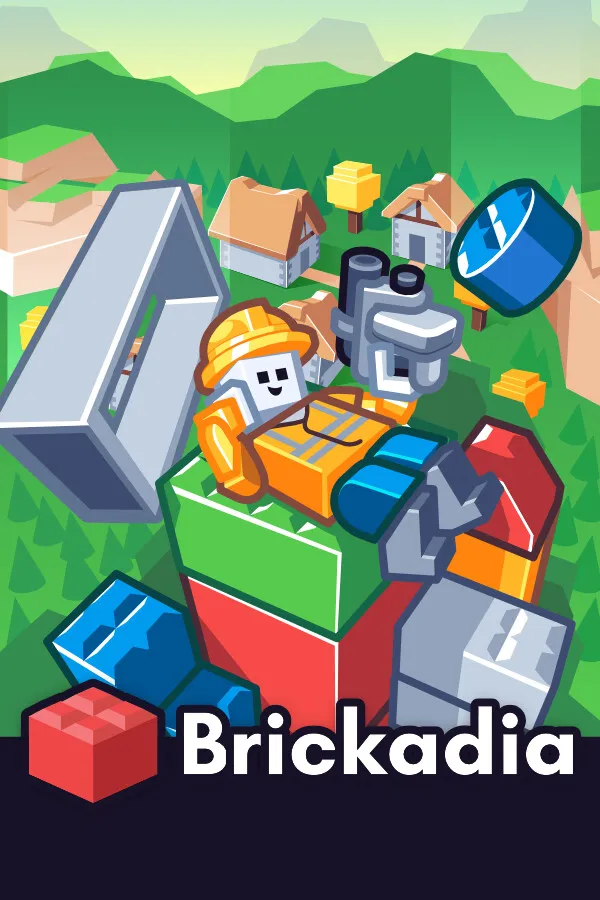
Brickadia is a brick building sandbox where every creative tool sits inside the game itself. Players place bricks to raise skyscrapers, islands, vehicles and cityscapes, then bring them to life with a dynamic physics system and wire logic: buttons, switches, doors, motors, servos, seats and lights, connected through logic gates rather than code. Custom game rules and a broad weapon set turn any build into an arena, and all of it happens in real time multiplayer while other people are building alongside you.
Brickadia is a game about accumulation, and accumulation needs somewhere permanent to live. A dedicated Brickadia server keeps a build online while its authors are asleep, so a city grows across weeks instead of one session, and visitors can wander it at any hour. Hosting it yourself also means you control the rules preset, the build permissions handed out to trusted players, the ban list and the gamemode running that evening, whether it is a quiet creative plot server or a full combat mode.
Game Host Bros runs Brickadia servers on AMD Ryzen 9 9950X processors with NVMe storage, deployable in any of 14 global locations. Physics heavy builds reward fast single thread performance, which is exactly what that hardware is chosen for. Name your server, set a password, and choose whether it's listed publicly or kept private for your group, all from our panel. You'll need a free Brickadia hosting token, and our guide shows how to create one. Give trusted players Admin or Moderator roles, manage your world with console commands such as clearing bricks or banning players, and upload a world from your PC or start a fresh one by giving it a new name. Scheduled restarts, automatic backups and enterprise-grade DDoS protection are included, and server migrations from another host are free.
Brickadia is available in Early Access on Steam for Windows. It ships with an in game level editor, a public server browser and a gallery of community creations you can visit or remix, so a hosted server can list itself publicly or stay private to a group. Save files can be uploaded and swapped through the panel, which makes moving an existing world onto your hosted server straightforward.
Game Host Bros offers Brickadia server hosting from $7.99/mo. Rent a Brickadia dedicated server and you get a persistent sandbox for your group, instant setup, automatic backups, full file access, and 14 global locations to choose from.
See you in Brickadia.
Pick a plan and your Brickadia server is online in under 60 seconds.
- Instant setup
- DDoS protected
- Free transfers
- 7-day money-back