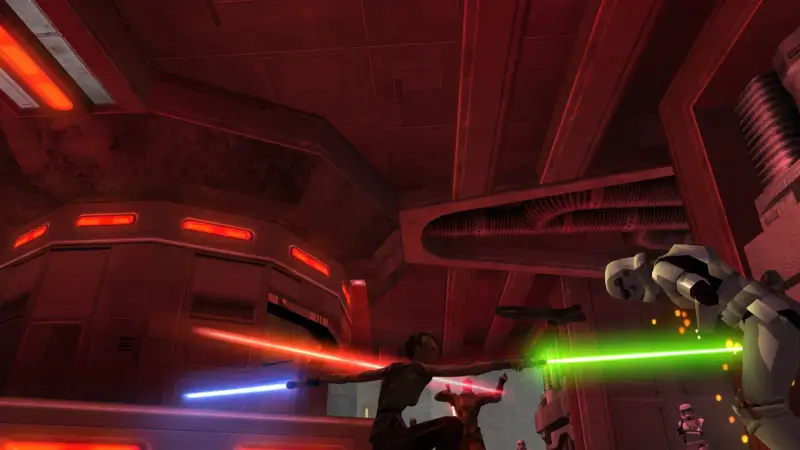
Star Wars Jedi Knight: Jedi Academy dedicated server hosting
Host and rent a private Star Wars Jedi Knight: Jedi Academy dedicated server. It's ready in under 60 seconds and stays online 24/7, so your crew can jump in whenever they like.
- Switch between OpenJK, Movie Battles II and custom mods
- Built-in bots support
- Listed on the community master servers
- Powerful hardware
 New York
Pick your Star Wars Jedi Knight: Jedi Academy plan.
Every plan includes the full Bropanel, DDoS protection and daily backups. Upgrade, downgrade or switch games any time.
4 GB RAM
Best for a few friends
Location
$7.99/mo
6 GB RAM
Best for a community
Location
$11.99/mo
8 GB RAM
Best for busy servers
Location
$15.99/mo
Custom
Pick the exact RAM, CPU, storage and location you need. Full control.
- 7-day money-back on your first order
- Free transfers from your old host
- Upgrade, downgrade or cancel any time
Live before the group chat replies.
Check out and your Star Wars Jedi Knight: Jedi Academy server sets itself up. In under 60 seconds there's an address to drop in the chat. No port forwarding, no PC left on all night.
You play. Bropanel does the rest.
Their latest control panel update is excellent it's much more user-friendly and easier to manage
Set-and-forget schedules
Restarts and backups that run themselves while you sleep.
Invite your squad
Give friends access, with exactly the permissions you choose.
Every file, in your browser
Edit configs and upload worlds right in the panel. SFTP too.
Everything in one place
Console, backups and databases, a click apart.
Not just Star Wars Jedi Knight: Jedi Academy.


Your Star Wars Jedi Knight: Jedi Academy server can switch to any game we host whenever the group wants something new, at no extra cost. Larger games may need a plan upgrade.
Stuck? There's a guide for that.
14 step-by-step guides for your Star Wars Jedi Knight: Jedi Academy server.




Close to your crew.
Pick the one nearest your friends from 14 locations across North America, Europe and Asia Pacific. If the crew moves, your server can too.
A top tier hosting company with newly updated hardware I wouldn't go anywhere else
 LondonMoved
- AMD Ryzen 9 9950X
- DDR5 RAM
- NVMe SSDs
- 10Gbps network
- DDoS protection
Questions, answered.
Still stuck? The team is on Discord and tickets 24/7.
The service is designed to take the hard stuff, make it easy, and if you get stuck they provide the best support.
How Quickly Can I Start Playing After Placing My Order?
Your Star Wars Jedi Knight: Jedi Academy server deploys automatically after payment and is ready to join in under 60 seconds. Check your email for login details to access the game panel.
Can My Jedi Academy Server Run Movie Battles II?
Yes. Set Mod to Movie Battles II in the panel and restart, and we install it and keep it up to date for you. You can also run the base game on OpenJK or upload a custom mod such as JA+, and switching needs no reinstall. See our change mod guide.
Can I Make My Star Wars Jedi Knight: Jedi Academy Server Private?
Yes. See our Star Wars Jedi Knight: Jedi Academy private server guide for how to limit who can join.
Can I Upload An Existing Star Wars Jedi Knight: Jedi Academy Save?
You can upload files to your server with the panel's file manager or SFTP. If you're moving from another host, we transfer servers for free. Check our Star Wars Jedi Knight: Jedi Academy guides or ask us on Discord.
Can I Switch My Server To A Different Game Later?
Yes. You're not locked in to Star Wars Jedi Knight: Jedi Academy. Switch your server to any other game we host at any time from the panel at no extra cost. Larger games may need a plan upgrade.
What Are Your Game Server Locations?
We have servers in the following locations: • United States: Los Angeles, Dallas, Ashburn, New York, Miami, Portland, Chicago • Canada: Montreal • United Kingdom: London • France: Gravelines, Paris • Germany: Frankfurt • Japan: Tokyo • Singapore: Singapore
What Hardware Does Game Host Bros Use?
All servers run on high-spec AMD hardware with NVMe SSDs and 10Gbps connections. See our full hardware specifications by region.
Can I Transfer My Existing Star Wars Jedi Knight: Jedi Academy Server To You?
Yes, we offer free server transfers. Check our guides for Star Wars Jedi Knight: Jedi Academy-specific transfer instructions, or reach out on Discord for help.
Do You Offer Refunds?
Yes. Every new server comes with a 7-day money-back guarantee. If it's not right, request a full refund within 7 days of your first order. See our refund policy for details.
What Is The Uptime Of Your Game Servers?
Our uptime over the past 12 months has been between 99.7% and 99.9%. Check our current status.
Do You Offer FTP Access To The Server?
Yes, we provide SFTP access and a web-based file browser in the control panel for managing your Star Wars Jedi Knight: Jedi Academy server files.
What Is The Maximum Number Of Players Allowed?
You can set any player count the game supports. We charge based on resources used, not player slots.
Do You Provide Technical Support?
Yes, check our guides as we cover most things you'd want to do with your server. You can also open a support ticket or reach out on Discord.
Can I Have Multiple Game Servers On One Account?
Yes, you can manage unlimited game servers from one account. You can also create sub-users with specific permissions to let staff manage designated servers.

About Star Wars Jedi Knight: Jedi Academy.
- Developer
- Raven Software
- Publisher
- LucasArts
- Platforms
- SteamWindowsLinuxMac
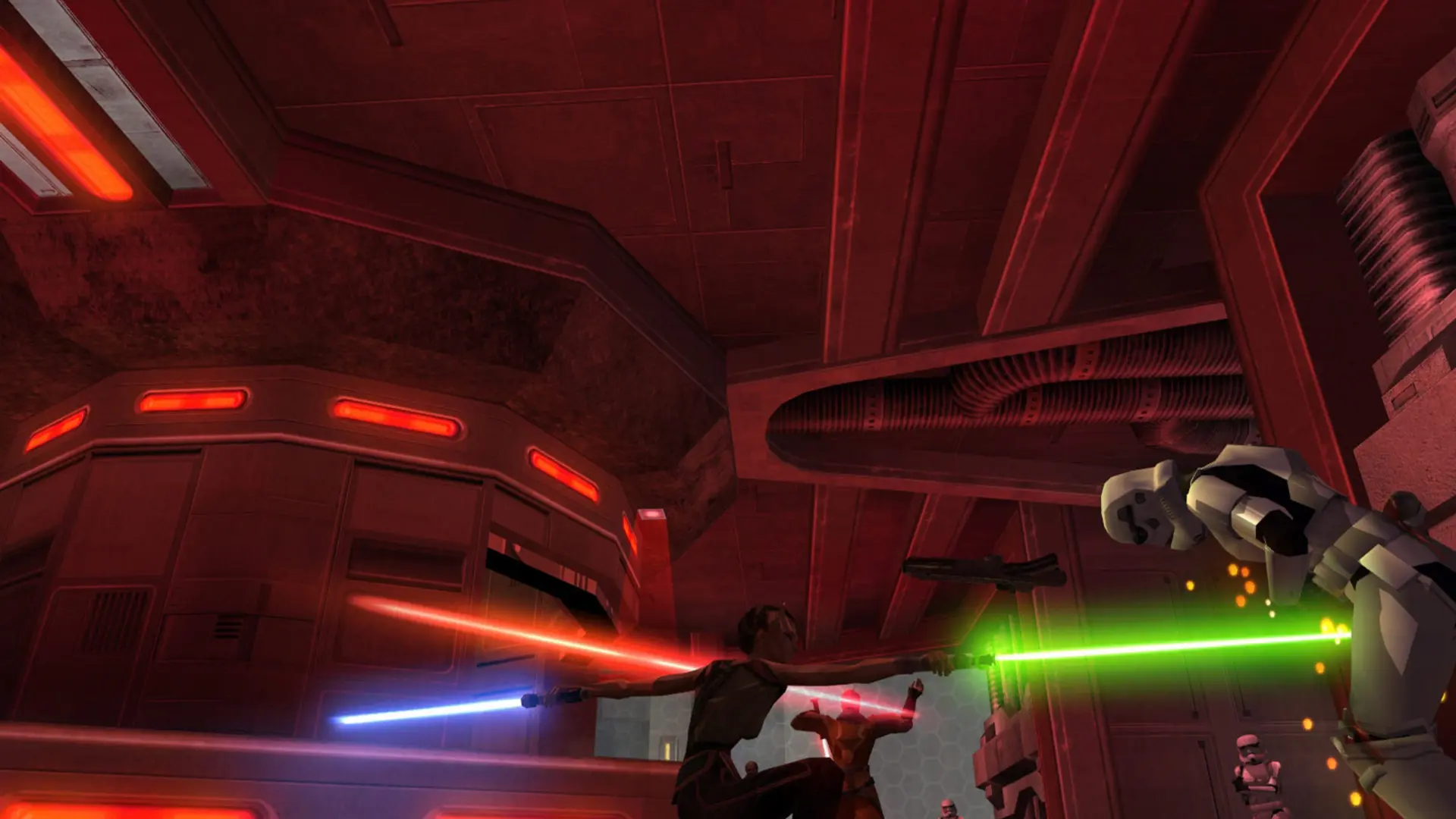
Star Wars Jedi Knight: Jedi Academy is the lightsaber action game Raven Software made for LucasArts in 2003, and its multiplayer is still one of the best saber combat systems ever built. Three saber styles, dual sabers and saber staffs, Force powers from Push and Pull to Lightning and Grip, and modes from Free For All and Duel to Siege and Capture the Flag keep a dedicated community dueling more than twenty years later.
Most of that community plays through mods, and the biggest is Movie Battles II, a free total conversion that turns Jedi Academy into class-based team battles across the films: Jedi and Sith, clone and storm troopers, bounty hunters, wookiees and droidekas fighting over objectives on maps like the Death Star, Theed and Mos Eisley. Open, Semi-Authentic, Full Authentic, Duel and Legends modes cover everything from casual brawls to strict film-accurate matches.
Game Host Bros runs Jedi Academy servers on AMD Ryzen 9 9950X processors with NVMe storage across 14 global server locations. The base game runs on OpenJK, the community-maintained engine with modern security and stability fixes, and your server shows in the in-game server browser through the community master servers. Our control panel switches your server between the base game, Movie Battles II or your own uploaded mod with one setting and a restart, and installs and updates Movie Battles II for you.
Server name, password, player slots, message of the day, game type, Movie Battles mode, map, bots (for the base game and most custom mods; Movie Battles II has none) and RCON password are all simple settings, with full file access for server.cfg, map rotations, custom maps and mods like JA+. Enterprise-grade DDoS protection keeps your duels and battles online.
Game Host Bros offers Jedi Academy server hosting from $7.99/mo. Rent a Jedi Academy dedicated server for your clan or community and you get instant setup, automatic backups, full file access and 14 global locations to keep ping low.
See you in Star Wars Jedi Knight: Jedi Academy.
Pick a plan and your Star Wars Jedi Knight: Jedi Academy server is online in under 60 seconds.
- Instant setup
- DDoS protected
- Free transfers
- 7-day money-back