
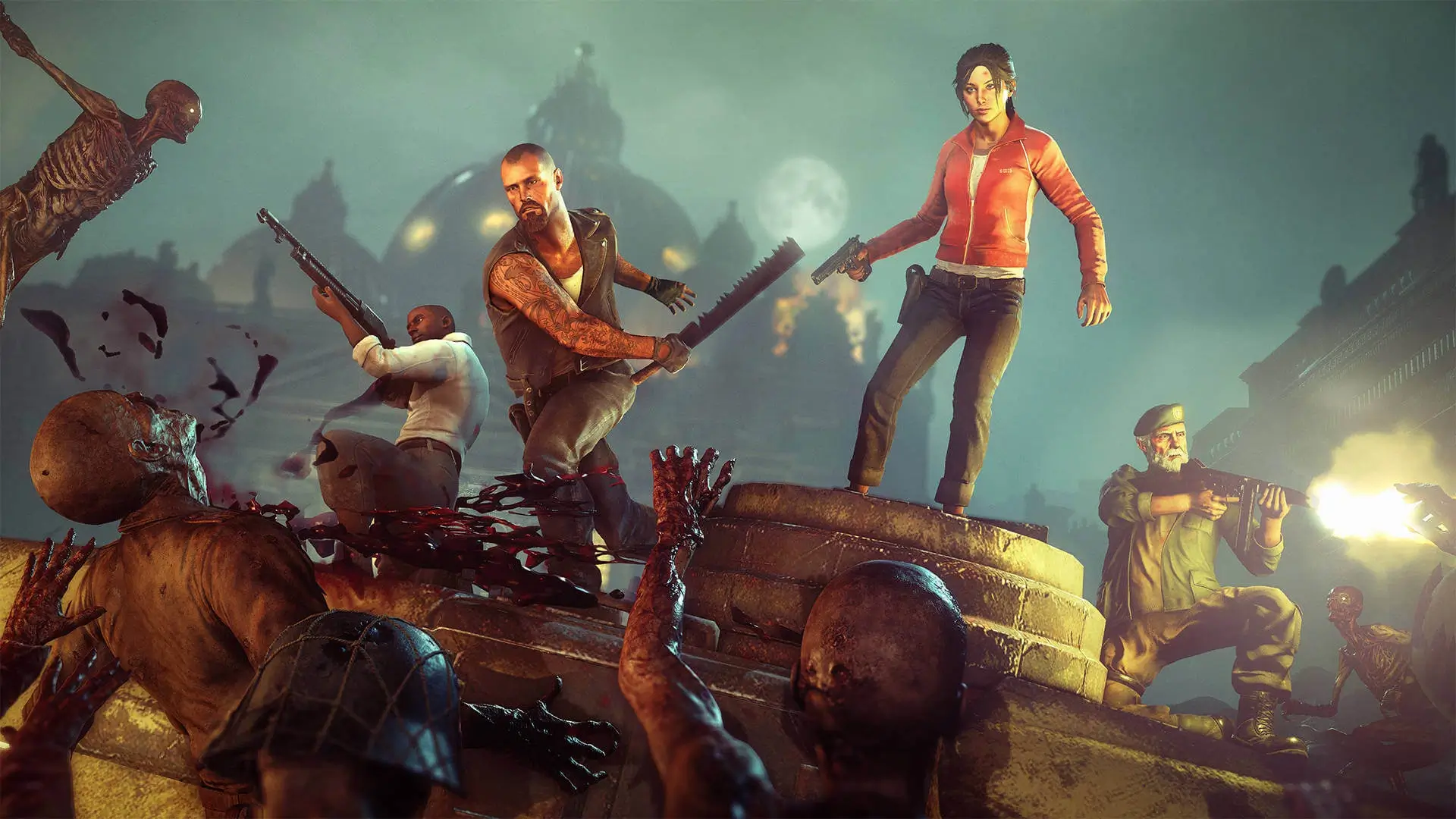
Left 4 Dead 2 hands most of the pacing to the AI Director, and the Director is driven entirely by console variables. The director_ family decides when hordes and bosses spawn, and the z_ family sets the infected themselves, from common horde limits to Tank and Witch health.
Search the full list below, then add what you need to your Left 4 Dead 2 server. Each entry shows the default value, what it does and whether it runs on the server or the client.
2,067 commands in total
| Command | Default | Description |
|---|---|---|
| — | Erases current game stats and writes out a blank stats fileCommandServer | |
| — | Shutdown and restart the engine.CommandServer | |
Default: 0 | Turn on achievement debug msgs.ServerCheatReplicated | |
Default: 0 | Turn off achievements.ServerCheatReplicated | |
Default: 1 | No description is published for this one.ServerCheat | |
| — | Add an IP address to the ban list.CommandServer | |
Default: 0 | Percent of normal backpack item use duration to use when affected by AdrenalineServerCheatReplicated | |
Default: 15 | No description is published for this one.ServerCheatReplicated | |
Default: 25 | No description is published for this one.ServerCheatReplicated | |
Default: 0 | Percent of normal revive duration to use when affected by AdrenalineServerCheat | |
Default: 260 | No description is published for this one.ServerCheatReplicated | |
Default: 0 | NPC Line-Of-Sight debug mode. If 1, solid entities that block NPC LOC will be highlighted with white bounding boxes. If 2, it'll show non-solid entities that would do it if they were solid.ServerCheat | |
Default: 0 | No description is published for this one.ServerCheatReplicated | |
Default: 1 | Set to 0 to disable TLK_IDLEs on survivorsServerCheat | |
| — | Changes the density of air for drag computations.CommandServer | |
| — | Alias a command.CommandServer | |
Default: 0 | No description is published for this one.ServerCheatReplicated | |
Default: 3 | No description is published for this one.ServerCheatReplicated | |
| — | No description is published for this one.CommandServer | |
| — | No description is published for this one.CommandServer | |
| — | Add a user ID to the ban list.CommandServer | |
| — | Add an IP address to the ban list.CommandServer | |
| — | Ends gathering of info.CommandServer | |
| — | Starts gathering of info. Arguments: filename to write results intoCommandServer | |
| — | Bind a key.CommandServer | |
| — | Performs a bind <key> 'increment var <cvar> 0 1 1'CommandServer | |
| — | Dump the contents of the blackboxCommandServer | |
| — | Record an entry into the blackboxCommandServer | |
Default: 1 | How long an out-of-range Boomer will tolerate being visible before fleeingServerCheat | |
Default: 0 | No description is published for this one.ServerCheat | |
Default: 4 | Amount of damage done by a PZ boomer's regular melee attackServerCheatReplicated | |
Default: 1 | How long the Boomer waits before he vomits on his target on Normal difficultyServerCheat | |
Default: 0 | Force all bots to crouch.ServerCheat | |
Default: 0 | No description is published for this one.ServerCheat | |
Default: 0 | Bot uses usercmd of player by index.ServerCheatReplicated | |
Default: 180 | Offsets the bot yaw.ServerCheat | |
Default: 0 | Toggle. Player takes damage but won't die. (Shows red cross when health is zero)ServerCheatNotify | |
| — | Turn a budget group on/offCommandServer | |
| — | Automatically swaps the current weapon for the bug bait and back again.CommandServer | |
| — | cache_print [section] Print out contents of cache memory.CommandServer | |
| — | cache_print_lru [section] Print out contents of cache memory.CommandServer | |
| — | cache_print_summary [section] Print out a summary contents of cache memory.CommandServer | |
| — | Start a vote on an issue.CommandServer | |
| — | Tests hull collision detectionCommandServer | |
| — | Tests collision detectionCommandServer | |
| — | Write all convars to file.CommandServer | |
| — | Spawn airboat in front of the player.CommandServer | |
| — | Spawn jeep in front of the player.CommandServer | |
Default: 30 | No description is published for this one.ServerCheat | |
Default: 50 | No description is published for this one.ServerCheat | |
Default: 400 | No description is published for this one.ServerCheat | |
Default: 500 | No description is published for this one.ServerCheat | |
Default: 100 | No description is published for this one.ServerCheat | |
Default: 0 | No description is published for this one.ServerCheatReplicated | |
Default: 0 | No description is published for this one.ServerCheat | |
Default: 0 | No description is published for this one.ServerCheat | |
| — | changelevel <mapname> :Multiplayer change level.CommandServer | |
Default: 0 | No description is published for this one.ServerCheat | |
Default: 8 | No description is published for this one.ServerCheat | |
| — | Transition to the specified map in single playerCommandServer | |
Default: 10 | Amount of damage done by a PZ charger's regular melee attackServerCheatReplicated | |
Default: 1 | Enable/disable clock correction on the client.Cheat | |
Default: 200 | Sets the maximum number of milliseconds per second it is allowed to correct the client clock. It will only correct this amount if the difference between the client and server clock is equal to or larger than cl_clock_correction_adjustment_max_offset.Cheat | |
Default: 90 | As the clock offset goes from cl_clock_correction_adjustment_min_offset to this value (in milliseconds), it moves towards applying cl_clock_correction_adjustment_max_amount of adjustment. That way, the response is small when the offset is small.Cheat | |
Default: 10 | If the clock offset is less than this amount (in milliseconds), then no clock correction is applied.Cheat | |
Default: 999 | Force clock correction to match the server tick + this offset (-999 disables it).Cheat | |
Default: 0 | Show debugging info about the clock drift.Cheat | |
Default: 150 | Maximum number of milliseconds the clock is allowed to drift before the client snaps its clock to the server's.Cheat | |
Default: 0 | Maximum number of milliseconds the clock is allowed to drift before the client snaps its clock to the server's.Cheat | |
Default: 6 | Delay in seconds before the client will resend the 'connect' attemptServer | |
Default: 0 | Set to 1 to skip any models that don't go through the model fast pathCheat | |
Default: 240 | Force with witch the claw shoves other zombies awayServerCheatReplicated | |
Default: 52 | Range of the Claw weaponServerCheatReplicated | |
Default: 70 | Range of the Claw weapon when looking straight down, so it can reach your feet from your eyes.ServerCheatReplicated | |
Default: 0 | No description is published for this one.ServerCheatReplicated | |
Default: 1 | No description is published for this one.ServerCheatReplicated | |
Default: 0 | No description is published for this one.ServerCheatReplicated | |
| — | Remove given attribute from all areas in the selected set.CommandServer | |
| — | clears debug overlaysCommandServer | |
Default: 0 | Chance to replenish wanderers in cleared nav areasServerCheat | |
Default: 27005 | If non-zero, client binds port to specific address. Usually you should leave this blank to use a different random system-assigned port for each connection.Server | |
Default: 0 | Enable close captioning.Archived | |
| — | Forward command to server.CommandServer | |
| — | sets userinfo string for split screen player in slot 1CommandServer | |
| — | sets userinfo string for split screen player in slot 2CommandServer | |
| — | sets userinfo string for split screen player in slot 3CommandServer | |
| — | sets userinfo string for split screen player in slot 4CommandServer | |
Default: 1 | No description is published for this one.ServerCheatReplicated | |
Default: 75 | No description is published for this one.ServerCheatReplicated | |
Default: 0 | No description is published for this one.ServerCheatReplicated | |
| — | Collect model names of the entities you're pointing atCommandServer | |
| — | Tests collision systemCommandServer | |
| — | No description is published for this one.CommandServer | |
| — | No description is published for this one.CommandServer | |
| — | Cause the engine to crash (Debug!!)CommandServer | |
| — | No description is published for this one.CommandServer | |
| — | Create a prediction errorCommandServer | |
| — | Marks a player as the VIPCommandServer | |
Default: -2 | cs_ShowStateTransitions <ent index or -1 for all>. Show player state transitions.ServerCheat | |
| — | Reports the flow distance for the local playerCommandServer | |
| — | Show the list of convars/concommands.CommandServer | |
| — | Add a line to the debug history. Format: <category id> <line>CommandServer | |
| — | Dump the debug history to the console. Format: <category id> Categories: 0: Entity I/O 1: AI Decisions 2: Scene Print 3: Alyx Blind 4: Log of damage done to...CommandServer | |
Default: 0 | No description is published for this one.ServerCheat | |
Default: 3 | No description is published for this one.ServerCheat | |
Default: 3 | No description is published for this one.ServerCheatReplicated | |
| — | Used by the devshots system to go to the next map in the devshots maplist.CommandServer | |
| — | Show all convars which are not at their default values (optional restricted to specific flags).CommandServer | |
Default: 6 | Items per 100 yards squareServerCheat | |
Default: 0 | No description is published for this one.ServerCheat | |
Default: 0 | No description is published for this one.ServerCheat | |
Default: 6 | Items per 100 yards squareServerCheat | |
| — | Begin a director scriptCommandServer | |
Default: 15 | No description is published for this one.ServerCheat | |
Default: 2 | No description is published for this one.ServerCheat | |
Default: 10 | No description is published for this one.ServerCheat | |
Default: -1 | Items per 100 yards square (-1 to spawn all)ServerCheat | |
Default: 1 | No description is published for this one.ServerCheat | |
Default: 50 | No description is published for this one.ServerCheat | |
Default: 25 | No description is published for this one.ServerCheat | |
Default: 0 | No description is published for this one.ServerCheat | |
Default: 10 | No description is published for this one.ServerCheat | |
Default: 0 | No description is published for this one.ServerCheat | |
Default: 0 | No description is published for this one.ServerCheat | |
Default: 0 | No description is published for this one.ServerCheat | |
Default: 0 | No description is published for this one.ServerCheat | |
Default: 6 | Items per 100 yards squareServerCheat | |
| — | End a director scriptCommandServer | |
Default: 3 | How many clusters of items will be populated in the finaleServerCheat | |
Default: 2 | No description is published for this one.ServerCheat | |
Default: 5 | No description is published for this one.ServerCheat | |
Default: 0 | Forces background map population logic for testingServerCheat | |
| — | Forces a 'PanicEvent' to occurCommandServer | |
| — | Force the specified scripted panic event to happenCommandServer | |
Default: 0 | No description is published for this one.ServerCheat | |
| — | Force start the versus game, so PZs can spawn even if survivors are still in the safe roomCommandServer | |
Default: 0 | No description is published for this one.ServerCheat | |
Default: 6 | Items per 100 yards squareServerCheat | |
Default: 5 | If you don't cross the movement threshold in DirectorGauntletMovementTimer seconds, you will get this much bonus time added...ServerCheat | |
Default: 30 | Maximum amount of bonus time you can accumulate from not moving.ServerCheat | |
Default: 500 | If you move less than this in DirectorGauntletMovementTimer seconds, you will get an increasing break between mobs.ServerCheat | |
Default: 10 | If you don't cross the movement threshold in this amount of time, you get increasing break time added between mobs.ServerCheat | |
Default: 3000 | How far you have to progress after a gauntlet tank spawn before the horde fires up again.ServerCheat | |
Default: 3000 | No description is published for this one.ServerCheat | |
Default: 0 | All survivors must be below this intensity during RELAX for wandering zombies to be spawnedServerCheat | |
Default: 0 | All survivors must be below this intensity during RELAX for wandering zombies to be spawnedServerCheat | |
Default: 0 | All survivors must be below this intensity during RELAX for wandering zombies to be spawnedServerCheat | |
Default: 0 | All survivors must be below this intensity before a Peak is allowed to switch to Relax (in addition to the normal peak timer)ServerCheat | |
Default: 0 | No description is published for this one.ServerCheatReplicated | |
Default: 50 | Scavenge items of the same kind that are this close to each other are considered a single 'cluster' for population purposesServerCheat |
Or search above to jump straight to the one you need.
Values marked Server belong in your left4dead2/cfg/server.cfg. Values marked Clientare typed into each player’s own console.
How to Use L4D2 Server Commands
L4D2 reads left4dead2/cfg/server.cfg on startup and on every map change.
- 1Log in to Bropanel and select your L4D2 server.
- 2In the sidebar, open
Files. - 3Open
left4dead2/cfg/server.cfg. - 4Add one command per line, such as
z_difficulty Hard. - 5Save the file and restart your server.
Many Director values are flagged as cheats, so they need sv_cheats 1 before they take effect. Most servers use a plugin such as SourceMod to apply those instead of turning cheats on for everyone.
AI Director Commands
The Director is what makes each playthrough different. These variables change how hard it pushes.
| Command | Default | What it does |
|---|---|---|
director_no_bosses | 0 | Set to 1 to stop Tank and Witch spawns. |
director_no_mobs | 0 | Set to 1 to stop horde rushes. |
director_no_specials | 0 | Set to 1 to stop special infected spawning. |
director_force_tank | 0 | Forces a Tank to spawn. |
director_force_witch | 0 | Forces a Witch to spawn. |
director_finale_panic_waves | 2 | Panic waves per finale stage. |
director_ammo_density | 6 | How much ammo the Director places. |
director_adrenaline_density | 6 | How much adrenaline the Director places. |
director_defibrillator_density | 6 | How many defibrillators the Director places. |
director_ai_tanks | 0 | Set to 1 so Tanks are always AI controlled. |
Infected and Survivor Commands
| Command | Default | What it does |
|---|---|---|
z_difficulty | Normal | Game difficulty. Easy, Normal, Hard or Impossible. |
z_common_limit | 30 | How many common infected exist at once. |
z_witch_health | 1000 | Witch health. |
sb_all_bot_game | 0 | Set to 1 to allow a server made only of bots. |
vs_max_team_switches | 1 | Team switches allowed per player in Versus. |
Caution
Raising z_common_limit puts real load on the server. Push it too far and everyone gets lag rather than a harder game.
Most Used L4D2 Server Commands
| Command | Default | What it does |
|---|---|---|
hostname | empty | Sets the server name shown in the browser. |
sv_password | empty | Locks the server behind a password. |
rcon_password | empty | Sets the admin password for rcon. |
sv_downloadurl | empty | Points clients at your FastDL host. |
sv_gametypes | empty | Game types the server allows. |
sv_alltalk | 1 | Set to 0 so teams only hear their own side. |
sv_cheats | 0 | Set to 1 to unlock cheat commands. |
sv_lan | 0 | Set to 1 for a LAN only server. |
sv_consistency | 1 | Enforces file consistency for critical files. |
sv_region | 255 | Region reported to the server browser. |
sv_steamgroup_exclusive | 0 | Restricts an empty server to your Steam group. |
Setting the Game Mode
mp_gamemode does not appear in the list above because L4D2 sets it on the launch line rather than registering it like a normal variable. On Bropanel you pick the mode in Settings and the panel passes it through for you.
| Mode | Value |
|---|---|
| Campaign | coop |
| Versus | versus |
| Survival | survival |
| Scavenge | scavenge |
| Realism | realism |
| Realism Versus | mutation15 |
How to Open the Console in L4D2
- 1Open Left 4 Dead 2 and go to
Options. - 2Select
Keyboard/Mouse. - 3Set
Allow Developer ConsoletoEnabled. - 4Press the
~key in game to open it.