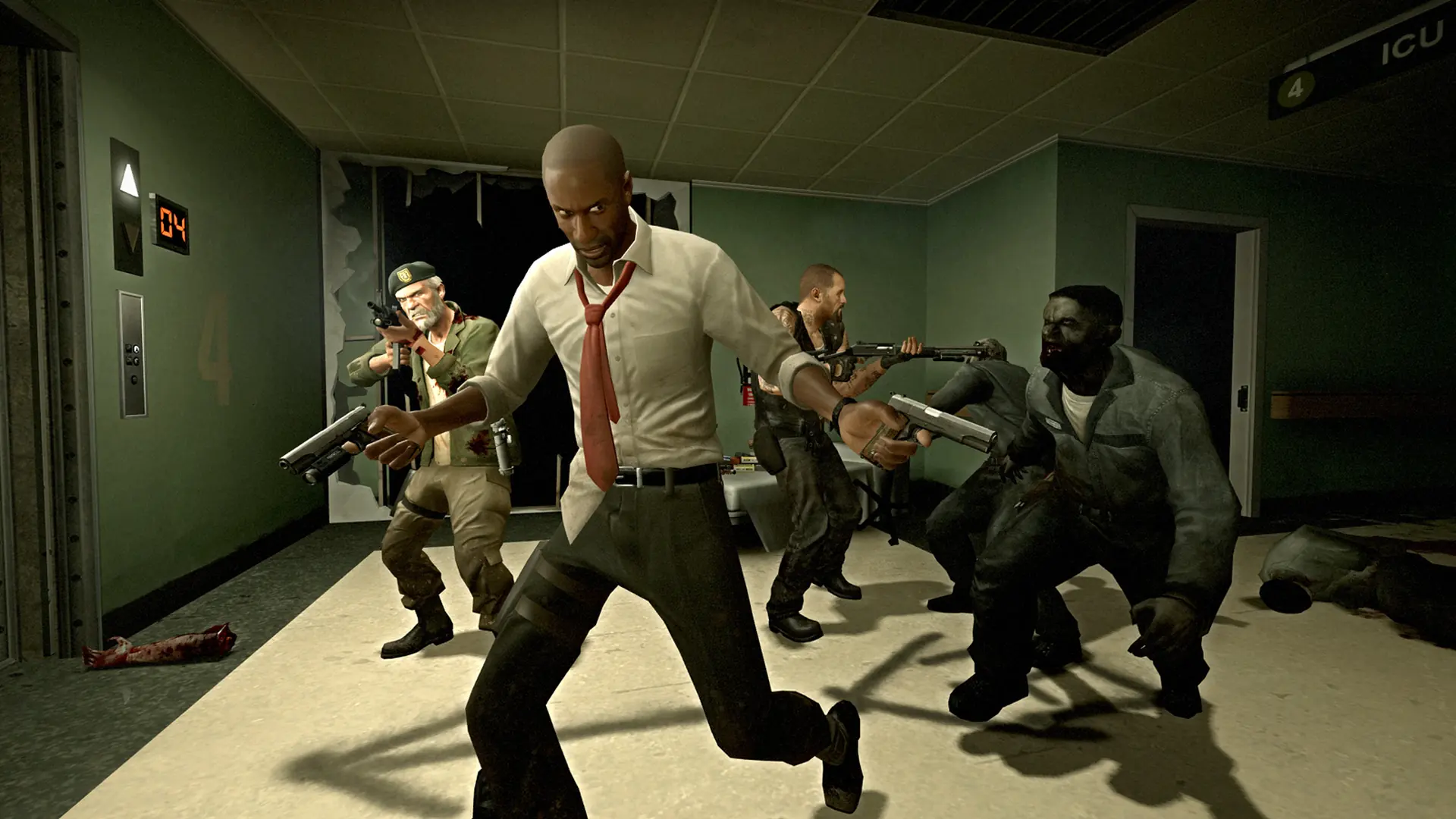
Left 4 Dead runs on the Source engine, and the AI Director that drives every campaign is controlled by console variables. Difficulty, game mode, special and boss spawns, common infected limits and the usual network and admin settings all sit behind director_, z_, mp_ and sv_ commands.
Search the full list below, then add what you need to your Left 4 Dead server. Every entry shows the default value, a description and flags telling you whether it runs on the server or on the client.
1,776 commands in total
| Command | Default | Description |
|---|---|---|
| — | Erases current game stats and writes out a blank stats fileCommandServer | |
| — | Shutdown and restart the engine.CommandServer | |
Default: 0 | Turn on achievement debug msgs.ServerCheatReplicated | |
Default: 0 | Turn off achievements.ServerCheatReplicated | |
| — | Add an IP address to the ban list.CommandServer | |
Default: 0 | NPC Line-Of-Sight debug mode. If 1, solid entities that block NPC LOC will be highlighted with white bounding boxes. If 2, it'll show non-solid entities that would do it if they were solid.ServerCheat | |
Default: 0 | No description is published for this one.ServerCheatReplicated | |
Default: 1 | Set to 0 to disable TLK_IDLEs on survivorsServerCheat | |
| — | Changes the density of air for drag computations.CommandServer | |
| — | Alias a command.CommandServer | |
| — | No description is published for this one.CommandServer | |
| — | No description is published for this one.CommandServer | |
| — | Add a user ID to the ban list.CommandServer | |
| — | Add an IP address to the ban list.CommandServer | |
| — | Ends gathering of info.CommandServer | |
| — | Starts gathering of info. Arguments: filename to write results intoCommandServer | |
| — | Uploads most recent benchmark stats to the Valve servers.CommandServer | |
| — | Bind a key.CommandServer | |
| — | Performs a bind <key> 'increment var <cvar> 0 1 1'CommandServer | |
| — | Dump the contents of the blackboxCommandServer | |
| — | Record an entry into the blackboxCommandServer | |
Default: 1 | How long an out-of-range Boomer will tolerate being visible before fleeingServerCheat | |
Default: 4 | Amount of damage done by a PZ boomer's regular melee attackServerCheatReplicated | |
Default: 1 | How long the Boomer waits before he vomits on his target on Normal difficultyServerCheat | |
Default: 0 | Force all bots to crouch.ServerCheat | |
Default: 0 | No description is published for this one.ServerCheat | |
Default: 0 | Bot uses usercmd of player by index.ServerCheatReplicated | |
Default: 180 | Offsets the bot yaw.ServerCheat | |
Default: 0 | Toggle. Player takes damage but won't die. (Shows red cross when health is zero)ServerCheatNotify | |
| — | Turn a budget group on/offCommandServer | |
| — | Automatically swaps the current weapon for the bug bait and back again.CommandServer | |
| — | cache_print [section] Print out contents of cache memory.CommandServer | |
| — | cache_print_lru [section] Print out contents of cache memory.CommandServer | |
| — | cache_print_summary [section] Print out a summary contents of cache memory.CommandServer | |
| — | Start a vote on an issue.CommandServer | |
| — | Tests hull collision detectionCommandServer | |
| — | Tests collision detectionCommandServer | |
| — | Spawn airboat in front of the player.CommandServer | |
| — | Spawn jeep in front of the player.CommandServer | |
| — | changelevel <mapname> :Multiplayer change level.CommandServer | |
Default: 0 | No description is published for this one.ServerCheat | |
Default: 8 | No description is published for this one.ServerCheat | |
| — | Transition to the specified map in single playerCommandServer | |
Default: 0 | If set one, many debug prints to help track down the TLK_IDLE issue. Set two for super verbose infoServerArchived | |
Default: 1 | Enable/disable clock correction on the client.Cheat | |
Default: 200 | Sets the maximum number of milliseconds per second it is allowed to correct the client clock. It will only correct this amount if the difference between the client and server clock is equal to or larger than cl_clock_correction_adjustment_max_offset.Cheat | |
Default: 90 | As the clock offset goes from cl_clock_correction_adjustment_min_offset to this value (in milliseconds), it moves towards applying cl_clock_correction_adjustment_max_amount of adjustment. That way, the response is small when the offset is small.Cheat | |
Default: 10 | If the clock offset is less than this amount (in milliseconds), then no clock correction is applied.Cheat | |
Default: 999 | Force clock correction to match the server tick + this offset (-999 disables it).Cheat | |
Default: 0 | Show debugging info about the clock drift.Cheat | |
Default: 150 | Maximum number of milliseconds the clock is allowed to drift before the client snaps its clock to the server's.Cheat | |
Default: 0 | Maximum number of milliseconds the clock is allowed to drift before the client snaps its clock to the server's.Cheat | |
Default: 6 | Delay in seconds before the client will resend the 'connect' attemptServer | |
Default: 0 | Set to 1 to skip any models that don't go through the model fast pathCheat | |
Default: 240 | Force with witch the claw shoves other zombies awayServerCheatReplicated | |
Default: 0 | Play the new hit anims for debugging?ServerCheatReplicated | |
Default: 52 | Range of the Claw weaponServerCheatReplicated | |
Default: 70 | Range of the Claw weapon when looking straight down, so it can reach your feet from your eyes.ServerCheatReplicated | |
Default: 0 | No description is published for this one.ServerCheatReplicated | |
Default: 1 | No description is published for this one.ServerCheatReplicated | |
Default: 0 | No description is published for this one.ServerCheatReplicated | |
| — | Remove given attribute from all areas in the selected set.CommandServer | |
| — | clears debug overlaysCommandServer | |
Default: 27005 | If non-zero, client binds port to specific address. Usually you should leave this blank to use a different random system-assigned port for each connection.Server | |
Default: 0 | Enable close captioning.Archived | |
| — | Forward command to server.CommandServer | |
| — | sets userinfo string for split screen player in slot 1CommandServer | |
| — | sets userinfo string for split screen player in slot 2CommandServer | |
| — | sets userinfo string for split screen player in slot 3CommandServer | |
| — | sets userinfo string for split screen player in slot 4CommandServer | |
| — | Tests collision systemCommandServer | |
| — | No description is published for this one.CommandServer | |
| — | No description is published for this one.CommandServer | |
| — | Cause the engine to crash (Debug!!)CommandServer | |
| — | No description is published for this one.CommandServer | |
| — | Create a prediction errorCommandServer | |
| — | Marks a player as the VIPCommandServer | |
Default: -2 | cs_ShowStateTransitions <ent index or -1 for all>. Show player state transitions.ServerCheat | |
| — | Reports the flow distance for the local playerCommandServer | |
| — | Show the list of convars/concommands.CommandServer | |
| — | Add a line to the debug history. Format: <category id> <line>CommandServer | |
| — | Dump the debug history to the console. Format: <category id> Categories: 0: Entity I/O 1: AI Decisions 2: Scene Print 3: Alyx Blind 4: Log of damage done to...CommandServer | |
Default: 0 | No description is published for this one.ServerCheat | |
| — | Used by the devshots system to go to the next map in the devshots maplist.CommandServer | |
| — | Show all convars which are not at their default values (optional restricted to specific flags).CommandServer | |
Default: 0 | No description is published for this one.ServerCheat | |
Default: 15 | No description is published for this one.ServerCheat | |
Default: 1 | No description is published for this one.ServerCheat | |
Default: 50 | No description is published for this one.ServerCheat | |
Default: 0 | No description is published for this one.ServerCheat | |
Default: 0 | No description is published for this one.ServerCheat | |
Default: 0 | No description is published for this one.ServerCheat | |
Default: 0 | Never bring in a rescue vehicle.ServerCheat | |
Default: 3 | How many clusters of items will be populated in the finaleServerCheat | |
Default: 2 | Versus mode: Number of times to loop through the finale waves before rescue.ServerCheat | |
Default: 45 | No description is published for this one.ServerCheat | |
Default: 5 | No description is published for this one.ServerCheat | |
Default: 20 | How long a 'relax' wave lasts during the finaleServerCheat | |
Default: 5 | No description is published for this one.ServerCheat | |
Default: 0 | Forces background map population logic for testingServerCheat | |
| — | Forces a 'PanicEvent' to occurCommandServer | |
Default: 0 | No description is published for this one.ServerCheat | |
| — | Force start the versus game, so PZs can spawn even if survivors are still in the safe roomCommandServer | |
Default: 0 | No description is published for this one.ServerCheat | |
Default: 6 | Items per 100 yards squareServerCheat | |
Default: 3000 | No description is published for this one.ServerCheat | |
Default: 0 | All survivors must be below this intensity during RELAX for wandering zombies to be spawnedServerCheat | |
Default: 0 | All survivors must be below this intensity during RELAX for wandering zombies to be spawnedServerCheat | |
Default: 0 | All survivors must be below this intensity during RELAX for wandering zombies to be spawnedServerCheat | |
Default: 0 | All survivors must be below this intensity before a Peak is allowed to switch to Relax (in addition to the normal peak timer)ServerCheat | |
Default: 0 | No description is published for this one.ServerCheatReplicated | |
Default: 50 | Scavenge items of the same kind that are this close to each other are considered a single 'cluster' for population purposesServerCheat | |
Default: 6 | Items per 100 yards squareServerCheat | |
Default: 0 | No description is published for this one.ServerCheat | |
Default: 0 | Disable boss spawnsServerCheat | |
Default: 0 | Disable survivor team death ending scenarioServerCheat | |
Default: 0 | Disable mob rushesServerCheat | |
Default: 0 | Disable PZ spawnsServerCheat | |
Default: 0 | Disable filling out the survivor team with botsServerCheat | |
Default: 6 | Items per 100 yards squareServerCheat | |
Default: 6 | Items per 100 yards squareServerCheat | |
Default: 0 | Panic events never endServerCheat | |
Default: 6 | Items per 100 yards squareServerCheat | |
Default: 4 | Items per 100 yards squareServerCheat | |
| — | Prints out counts of connected players and transitioning players (for debugging)CommandServer | |
Default: 6 | Items per 100 yards squareServerCheat | |
Default: 60 | If nonzero, survivor team has this amount of time to get ready before starting outServerCheat | |
Default: 300 | The distance survivors can move from the starting weapons during the ready periodServerCheat | |
Default: 3000 | No description is published for this one.ServerCheat | |
Default: 45 | No description is published for this one.ServerCheat | |
Default: 30 | No description is published for this one.ServerCheat | |
| — | Prints a snapshot of the director's stateCommandServer | |
Default: 0 | Override map-specified item densities with cvar values for tuningServerCheat | |
Default: 0 | Short finale for testing escape vehiclesServerCheat | |
Default: 10 | No description is published for this one.ServerCheat | |
Default: 10 | How long is given to a player to accept the offer of a special zombie during the finale.ServerCheat | |
Default: 60 | No description is published for this one.ServerCheat | |
Default: 180 | No description is published for this one.ServerCheat | |
Default: 30 | No description is published for this one.ServerCheat | |
Default: 30 | How long is given to the first player to accept the offer of a special zombie.ServerCheat | |
Default: 45 | No description is published for this one.ServerCheat | |
Default: 0 | Allow spectating zombiesServerCheat | |
| — | Restores spawning of all wanderers, mobs, specials, and bossesCommandServer | |
| — | Shuts off all wanderers, mobs, specials, and bossesCommandServer | |
Default: 5 | No description is published for this one.ServerCheat | |
Default: 3 | No description is published for this one.ServerCheat | |
Default: 1500 | No description is published for this one.ServerCheat | |
Default: 15 | Min time after leaving a checkpoint that a tank can spawnServerCheat | |
Default: 0 | Forces the director to offer a tankServerCheat | |
Default: 0 | Time it takes for entry into the tank lotteryServerCheat |
Or search above to jump straight to the one you need.
Values marked Server belong in your left4dead/cfg/server.cfg. Values marked Clientare typed into each player’s own console.
How to Use Left 4 Dead Server Commands
Source games read left4dead/cfg/server.cfg when the server starts and on every map change.
- 1Log in to Bropanel and select your Left 4 Dead server.
- 2In the sidebar, open
Files. - 3Open
left4dead/cfg/server.cfg. - 4Add one command per line, such as
z_difficulty Hard. - 5Save the file and restart your server.
To change something mid-game, use the Console tab in the panel or connect with rcon. Live changes apply at once and revert when the server restarts.
Most Used Left 4 Dead Server Commands
| Command | Default | What it does |
|---|---|---|
hostname | empty | The server name shown in the browser. |
sv_password | empty | Password players need to join. |
rcon_password | empty | Admin password for rcon. |
mp_gamemode | coop | Game mode: coop, versus or survival. |
z_difficulty | Normal | Difficulty: Easy, Normal, Hard or Impossible. |
sv_alltalk | 1 | 1 lets everyone hear each other; 0 restricts to teams. |
sv_cheats | 0 | Set to 1 to unlock cheat commands. |
Game Mode and Difficulty
mp_gamemode is applied through the map command rather than on its own, for example map l4d_hospital01_apartment versus.
z_difficulty accepts Easy, Normal, Hard or Impossible. It only affects Co-op and Survival; Versus ignores it because damage there is balanced for players on both teams.
How to Open the Console in Left 4 Dead
- 1Open Left 4 Dead and go to
Options. - 2Select
Keyboard/Mouse. - 3Set
Allow Developer ConsoletoEnabled. - 4Press the
~key in game to open the console.