
In this guide I'll show you the basics of running your new Game Host Bros server. Think of this as a crash course into game server hosting.
If you don't have a server with us yet, click here and get one now.
Danger
If you get stuck at any time or have questions, don't be afraid to reach out to a bro with a support ticket or on Discord. We are here to help you get everything set up the way you want it.
The Game Panel
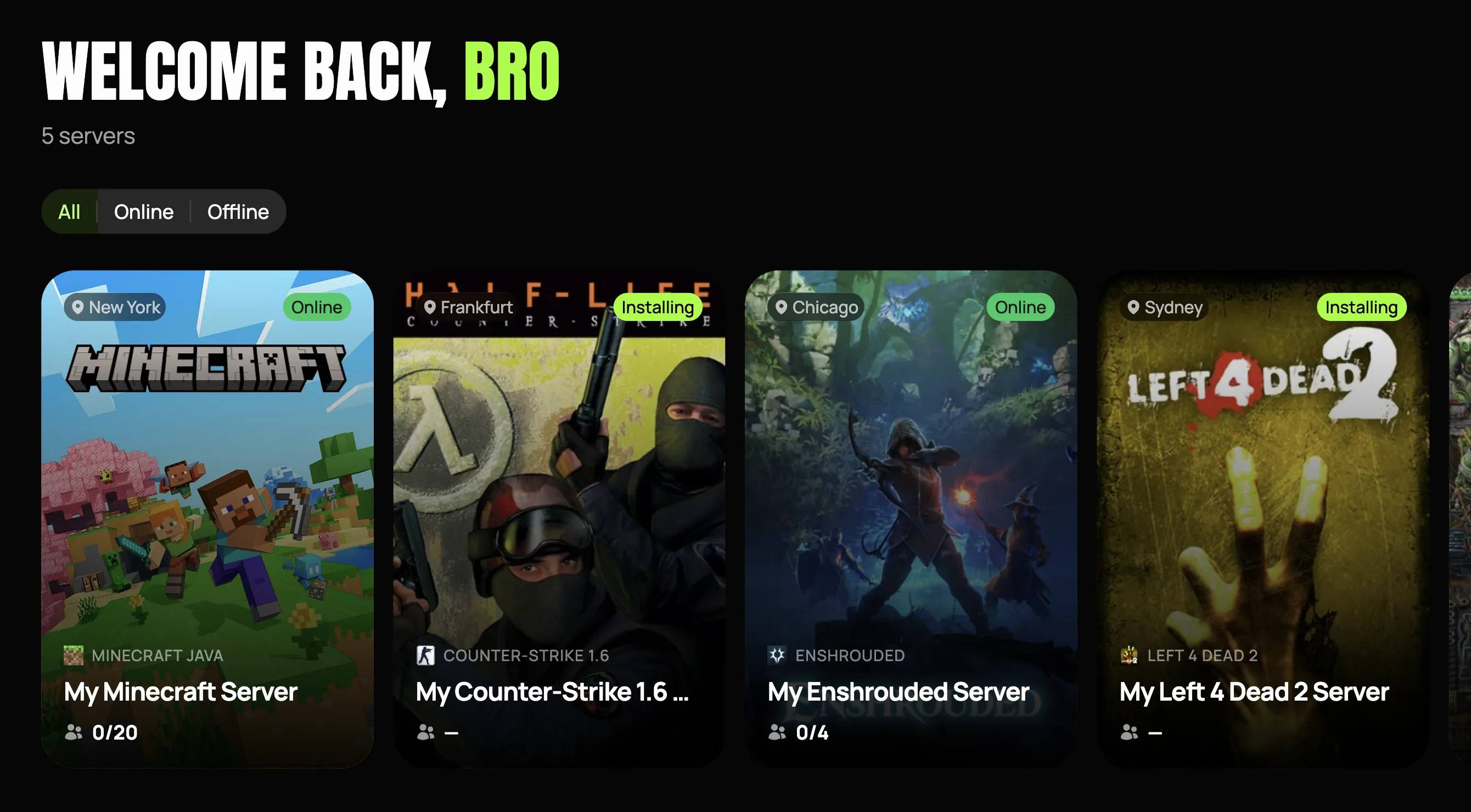
After you sign up and pay for your Game Host Bros server, you will be sent an email titled Server Installed. This is where you set a password to access our Game Panel. Once you click the button in the email, it will bring you to an overview of all the servers you have with us.
If you don't see the Server Installed email in your inbox, please check your spam folder. If you've clicked the button multiple times and cannot set a password, you can simply reset your Game Panel password here
Starting & Stopping Your Server
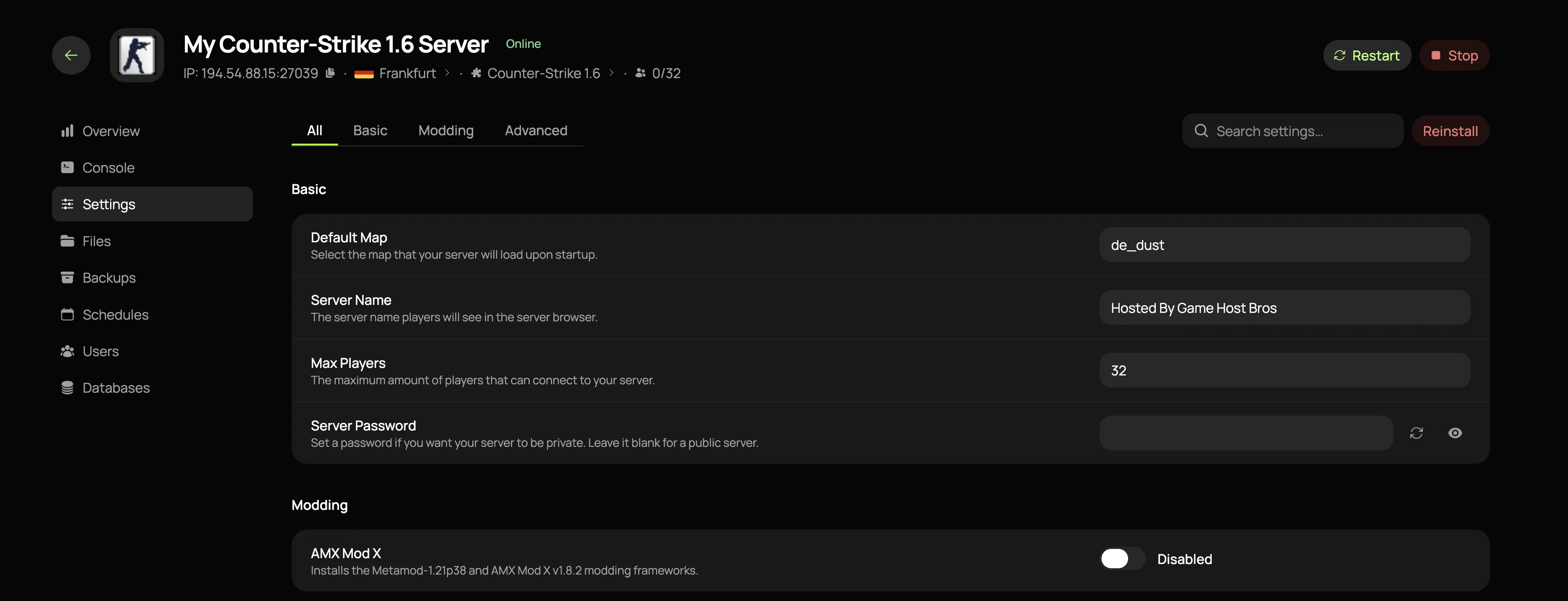
Once you're in the game panel, click the server you want to manage. You can start, stop, and restart it using the buttons in the top-right of the page. On mobile devices, open the sidebar menu to find them.
Edit Server Settings
In the sidebar, go to Settings.
This is where you will edit most of the basic settings for your server such as the servers public name, maximum players, setting a password and changing game modes. After any change is made here, you will need to restart the server.
Some games also don't have settings in our panel but rely on config files. We have guides on these configs under each game section in the sidebar here.
Note
These settings are different for each game.
Connect To Your Server
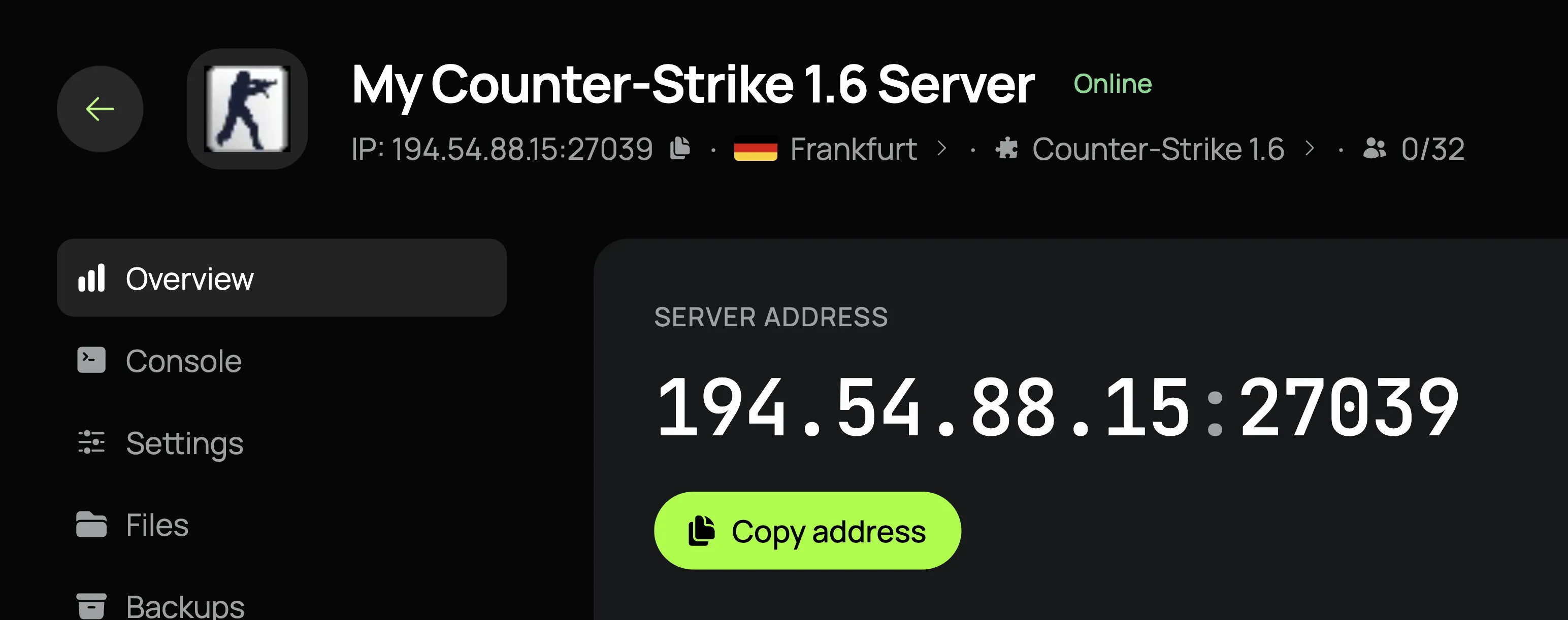
To connect your server, you will need the IP address. You can find this on the Overview page in your panel. Simply click on it to copy. How you connect using the IP address is different for each game, but we include a "Connect to Your Server" guide for each game in the sidebar here.
Game-Specific Guides
Congratulations 🎉 you've finished the beginners guide crash course! See it wasn't that hard. Now check out our game-specific guides to find help for your particular game.
You can also find out how to do other things like adding users to your server and more in our other guides.
Remember, the bros always have your back so come and join our Discord and let's get your server set up the way you want it.