
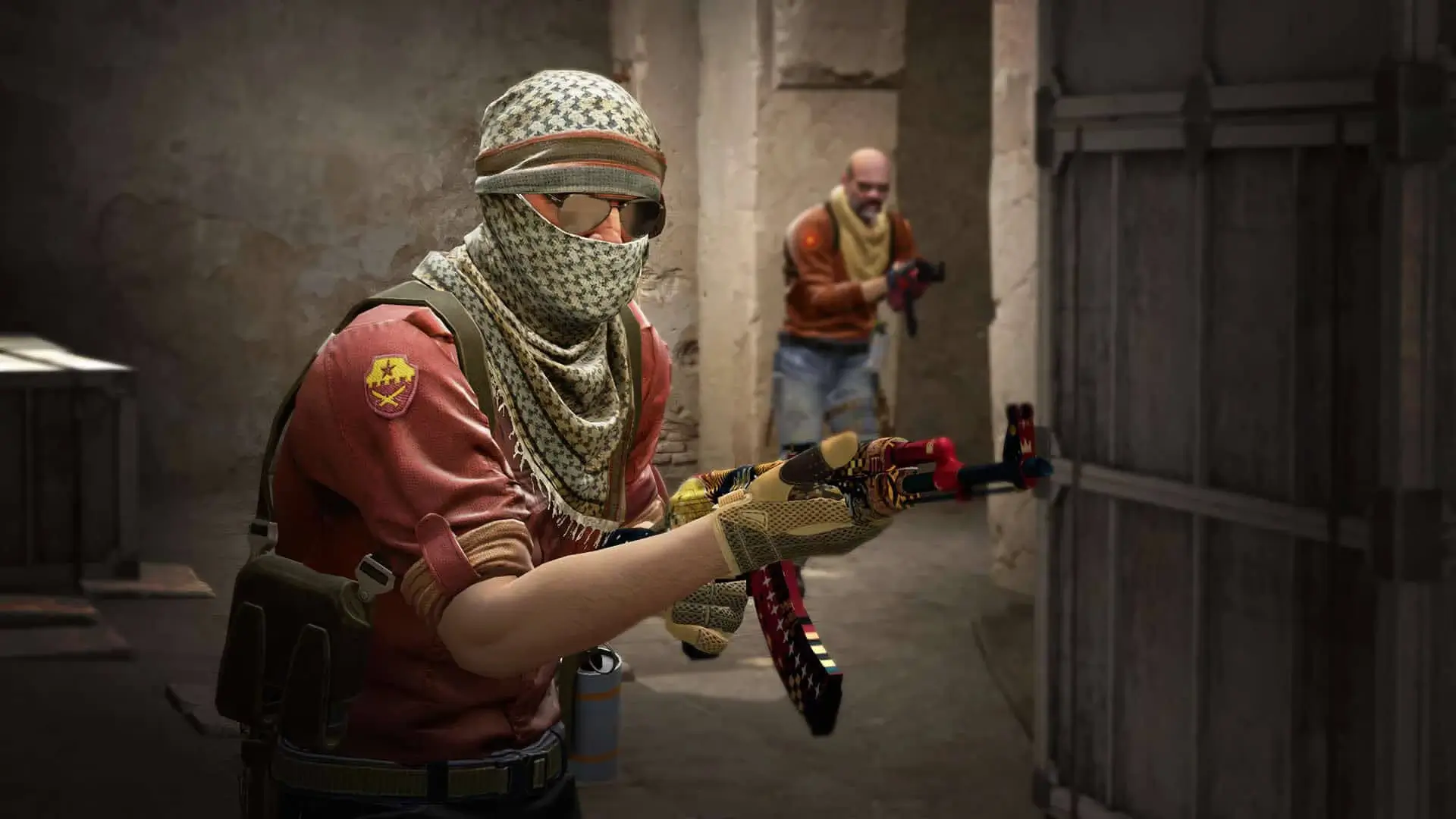
Counter-Strike 2 rebuilt the game on Source 2, and the console came with it. Many CS:GO variables survived unchanged, some were renamed, and a number were dropped. This list is taken from a live CS2 dedicated server, so what you see here is what the game actually registers today.
Search the full list below, then apply what you need to your CS2 server. Each entry shows the default value, what it does and where it belongs.
1,818 commands in total
| Command | Default | Description |
|---|---|---|
| — | Record a demo incrementally.Command | |
Default: 0 | No description is published for this one.Archived | |
Default: 0 | Debug the NPC dynamic interaction system.ServerCheat | |
Default: 0 | NPC Line-Of-Sight debug mode. If 1, solid entities that block NPC LOC will be highlighted with white bounding boxes. If 2, it'll show non-solid entities that would do it if they were solid.ServerCheat | |
Default: false | No description is published for this one.ServerCheat | |
Default: 0 | No description is published for this one.ServerCheatReplicated | |
Default: false | No description is published for this one.ServerCheatReplicated | |
Default: false | No description is published for this one.ServerCheat | |
| — | Alias a command.Command | |
Default: 30 | No description is published for this one.ServerReplicated | |
Default: 52 | No description is published for this one.ServerReplicated | |
Default: 12 | No description is published for this one.ServerReplicated | |
Default: 26 | No description is published for this one.ServerReplicated | |
Default: 24 | No description is published for this one.ServerReplicated | |
Default: 100 | No description is published for this one.ServerReplicated | |
Default: 35 | No description is published for this one.ServerReplicated | |
Default: 200 | No description is published for this one.ServerReplicated | |
Default: 90 | No description is published for this one.ServerReplicated | |
Default: 40 | No description is published for this one.ServerReplicated | |
Default: 100 | No description is published for this one.ServerReplicated | |
Default: 90 | No description is published for this one.ServerReplicated | |
Default: 120 | No description is published for this one.ServerReplicated | |
Default: 32 | No description is published for this one.ServerReplicated | |
Default: 3 | No description is published for this one.ServerReplicated | |
Default: 3 | No description is published for this one.ServerReplicated | |
Default: 1 | No description is published for this one.ServerReplicated | |
Default: 1 | No description is published for this one.ServerReplicated | |
Default: 3 | No description is published for this one.ServerReplicated | |
Default: 3 | No description is published for this one.ServerReplicated | |
Default: 1 | No description is published for this one.ServerReplicated | |
Default: 5 | No description is published for this one.ServerReplicated | |
Default: 4 | No description is published for this one.ServerReplicated | |
Default: true | Validates the animation group channel list against the animations on load for every animation | |
| — | List all the currently registered anim events.CommandServerCheat | |
Default: false | Debug animation graphServerCheatReplicated | |
Default: 0 | The entity to specifically debugServerCheatReplicated | |
Default: true | Enable IK.Cheat | |
Default: false | Automatically start recording AnimGraphs when they get created, and save them to disk when they are destroyedServerCheatReplicated | |
Default: false | No description is published for this one.ServerCheatReplicated | |
Default: true | No description is published for this one.ServerCheatReplicated | |
Default: false | No description is published for this one.ServerCheatReplicated | |
| — | Draw an axis Arguments: x y z pitch yaw roll <lifetime = 10.0> <r g b a>CommandServerCheat | |
Default: false | OBSOLETE replaced by mobile_fps_* - Battery saver mode. 0=off, 1=onArchived | |
| — | Takes a snapshot of a particular frame in a time demo.Command | |
| — | Bind a key.Command | |
| — | Bind all keys to their default values.Command | |
| — | Bind a key for a particular splitscreen player.Command | |
Default: 3 | amount of contribution score added for an objective related killServer | |
| — | bot_add <t|ct> <type> <difficulty> <name> - Adds a bot matching the given criteria.CommandServer | |
| — | bot_add_ct <type> <difficulty> <name> - Adds a Counter-Terrorist bot matching the given criteria.CommandServer | |
| — | bot_add_t <type> <difficulty> <name> - Adds a terrorist bot matching the given criteria.CommandServer | |
| — | Allows the bots to use all weaponsCommandServer | |
Default: true | If nonzero, bots may use grenades.ServerReplicated | |
Default: true | If nonzero, bots may use the machine gun.ServerReplicated | |
Default: true | If nonzero, bots may use pistols.ServerReplicated | |
Default: true | If nonzero, bots may use rifles.ServerReplicated | |
Default: true | If nonzero, bots may occasionally go 'rogue'. Rogue bots do not obey radio commands, nor pursue scenario goals.ServerReplicated | |
Default: true | If nonzero, bots may use shotguns.ServerReplicated | |
Default: true | If nonzero, bots may use sniper rifles.ServerReplicated | |
Default: true | If nonzero, bots may use sub-machine guns.ServerReplicated | |
Default: 0 | Upper bound above Average Human Contribution Score that a bot must be above to change its difficultyServerReplicated | |
Default: -2 | Lower bound below Average Human Contribution Score that a bot must be below to change its difficultyServerReplicated | |
Default: normal | Control how bots talk. Allowed values: 'off', 'radio', 'minimal', or 'normal'.ServerReplicated | |
Default: true | Determines whether bots can be controlled by playersServerReplicated | |
Default: 0.3 | No description is published for this one.ServerCheat | |
Default: 1400 | Max distance bots can see targets (in coop) when they are idle, dormant, hiding or asleep.ServerReplicated | |
Default: false | Force all bots to crouch.ServerCheat | |
Default: 0 | For internal testing purposes.ServerCheatReplicated | |
Default: 0 | For internal testing purposes.ServerCheatReplicated | |
Default: false | If nonzero and there is a human on the team, the bots will not do the scenario tasks.ServerReplicated | |
Default: true | If nonzero and there is a human on the team, the bots will not get scenario items.ServerReplicated | |
Default: 1 | Defines the skill of bots joining the game. Values are: 0=easy, 1=normal, 2=hard, 3=expert.ServerReplicated | |
Default: false | If nonzero, bots will not fire weapons (for debugging).ServerCheatReplicated | |
Default: false | No description is published for this one.ServerCheat | |
| — | Sends a bot to the selected nav area (useful for testing navigation meshes)CommandServerCheat | |
| — | Sends a bot to the selected nav area (useful for testing navigation meshes)CommandServerCheat | |
Default: false | If nonzero, bots will ignore enemies (for debugging).ServerCheatReplicated | |
Default: false | Bots will not see non-bot players.ServerCheat | |
Default: true | If nonzero, bots wait until a player joins before entering the game.ServerReplicated | |
Default: any | Determines the team bots will join into. Allowed values: 'any', 'T', or 'CT'.ServerReplicated | |
| — | bot_kick <all> <t|ct> <type> <difficulty> <name> - Kicks a specific bot, or all bots, matching the given criteria.CommandServer | |
| — | bot_kill <all> <t|ct> <type> <difficulty> <name> - Kills a specific bot, or all bots, matching the given criteria.CommandServerCheat | |
| — | Restricts the bots to only using knivesCommandServer | |
Default: 0 | bots are given these items at round startServerCheat | |
Default: 200 | Bots will see players through smoke clouds up to this length.ServerReplicated | |
Default: -1 | Max distance bots can see targets.ServerReplicated | |
Default: 0 | Bot uses usercmd of player by index.ServerCheatReplicated | |
Default: 180 | Offsets the bot yaw.ServerCheat | |
| — | Restricts the bots to only using pistolsCommandServer | |
| — | bot_place - Places a bot from the map at where the local player is pointing.CommandServerCheat | |
Default: 10 | Determines the total number of bots in the game.ServerReplicated | |
Default: fill | Determines the type of quota. Allowed values: 'normal', 'fill', and 'match'. If 'fill', the server will adjust bots to keep N players in the game, where N is bot_quota. If 'match', the server will maintain a 1:N ratio of humans to bots, where N is bot_quota.ServerReplicated | |
Default: false | should bots ignore their prefered weapons and just buy weapons at random?ServerCheat | |
Default: false | Show areas where rushing players will initially meet.ServerCheat | |
Default: false | For internal testing purposes.ServerCheatReplicated | |
Default: false | Show when each nav area can first be reached by each team.ServerCheat | |
| — | Restricts the bots to only using sniper riflesCommandServer | |
Default: 0 | If nonzero, immediately stops all bot processing.ServerCheatReplicated | |
Default: 0 | For internal testing purposes.ServerCheatReplicated | |
Default: false | If bot_mimic is not in use, 0=Bots will move randomly by themselves, 1=They will not.ServerCheatReplicated | |
| — | Draw a bbox Arguments: minx miny miny maxx maxy maxz <lifetime = 10.0> <r g b a>CommandServerCheat | |
Default: false | Toggle. Player takes damage but won't die. (Shows red cross when health is zero)ServerCheatNotify | |
Default: false | Bots always buddha 0ServerCheatNotify | |
Default: 1 | HP to set when damaged below zero in Buddha ModeServerCheatNotify | |
Default: 0 | No description is published for this one.Archived | |
| — | Buy random primary and secondary. Primarily for deathmatch where cost is not an issue.CommandServer | |
| — | Start a vote on an issue.CommandServer | |
Default: 200 | No description is published for this one.ServerReplicatedNotify | |
Default: 200 | No description is published for this one.ServerReplicatedNotify | |
Default: -30 | No description is published for this one.ServerReplicatedNotify | |
Default: 0 | No description is published for this one.ServerReplicatedNotify | |
Default: 300 | No description is published for this one.ServerReplicatedNotify | |
Default: 200 | No description is published for this one.ServerReplicatedNotify | |
Default: 0.5 | No description is published for this one.ServerReplicatedNotify | |
Default: -1000 | No description is published for this one.ServerReplicatedNotify | |
Default: -300 | No description is published for this one.ServerReplicatedNotify | |
Default: 1000 | No description is published for this one.ServerReplicatedNotify | |
Default: 0 | No description is published for this one.ServerReplicatedNotify | |
Default: 0 | No description is published for this one.ServerReplicatedNotify | |
Default: 2700 | No description is published for this one.ServerReplicatedNotify | |
Default: 2300 | No description is published for this one.ServerReplicatedNotify | |
Default: 2000 | No description is published for this one.ServerReplicatedNotify | |
Default: 0 | No description is published for this one.ServerReplicatedNotify | |
Default: 500 | No description is published for this one.ServerReplicatedNotify | |
Default: 2400 | No description is published for this one.ServerReplicatedNotify | |
Default: 0 | No description is published for this one.ServerReplicatedNotify | |
Default: 200 | No description is published for this one.ServerReplicatedNotify | |
Default: 0 | No description is published for this one.ServerReplicatedNotify | |
Default: 1000 | No description is published for this one.ServerReplicatedNotify | |
Default: 2700 | No description is published for this one.ServerReplicatedNotify | |
Default: 2700 | No description is published for this one.ServerReplicatedNotify | |
Default: 3000 | No description is published for this one.ServerReplicatedNotify | |
Default: 2700 | No description is published for this one.ServerReplicatedNotify | |
Default: 2000 | No description is published for this one.ServerReplicatedNotify | |
Default: 0 | No description is published for this one.ServerReplicatedNotify | |
| — | Tests box collision detectionCommandServerCheat | |
| — | Tests bullet castCommandServerCheat | |
| — | Tests capsule collision detectionCommandServerCheat | |
| — | Tests convex hull collision detectionCommandServerCheat | |
| — | Tests cylinder collision detectionCommandServerCheat | |
| — | Tests interval ray castCommandServerCheat | |
| — | Tests cylinder collision detectionCommandServerCheat | |
| — | Tests physics shape collision detectionCommandServerCheat | |
| — | Tests collision detectionCommandServerCheat | |
| — | Tests sphere castCommandServerCheat | |
| — | changelevel <mapname> :Multiplayer change level.Command | |
| — | Check game code serializersCommandCheat | |
Default: true | Enable/disable clock correction on the client.Cheat | |
Default: 200 | Sets the maximum number of milliseconds per second it is allowed to correct the client clock. It will only correct this amount if the difference between the client and server clock is equal to or larger than cl_clock_correction_adjustment_max_offset.Cheat | |
Default: 90 | As the clock offset goes from cl_clock_correction_adjustment_min_offset to this value (in milliseconds), it moves towards applying cl_clock_correction_adjustment_max_amount of adjustment. That way, the response is small when the offset is small.Cheat |
Or search above to jump straight to the one you need.
Values marked Server belong in your game/csgo/cfg/server.cfg. Values marked Clientare typed into each player’s own console.
How to Use CS2 Server Commands
CS2 reads server.cfg on startup, then loads the config for your game mode. The gamemode file runs last, so anything gameplay related belongs there.
- 1Log in to Bropanel and select your CS2 server.
- 2In the sidebar, open
Files. - 3Open
game/csgo/cfg/server.cfgfor server wide settings. - 4For gameplay settings, open the matching file such as
gamemode_competitive_server.cfg. - 5Save and restart your server.
You can also run commands live from the panel Console tab or over RCON. Live changes take effect at once and reset on restart.
Most Used CS2 Server Commands
| Command | Default | What it does |
|---|---|---|
hostname | empty | Sets the server name shown in the browser. |
sv_password | empty | Locks the server behind a password. |
rcon_password | empty | Sets the admin password for RCON. |
sv_setsteamaccount | empty | Sets your game server login token. |
mp_timelimit | 0 | Minutes of game time per map. |
mp_maxrounds | 15 | Rounds before the server changes map. |
mp_roundtime | 3 | Round length in minutes. |
mp_freezetime | 5 | Seconds players stay frozen at round start. |
mp_warmuptime | 90 | How long warmup lasts. Changing it restarts warmup. |
mp_startmoney | 1000 | Money each player gets on reset. |
mp_maxmoney | 10000 | Money cap per player. |
mp_buytime | 45 | Seconds after round start that players can buy. |
mp_c4timer | 40 | Bomb timer in seconds. |
mp_friendlyfire | true | Set to false to stop teammates damaging each other. |
mp_free_armor | 2 | 1 gives kevlar, 2 gives kevlar and helmet. |
mp_buy_anywhere | 0 | Set to 1 to let both teams buy outside the buy zone. |
mp_autoteambalance | true | Keeps team sizes even. |
mp_limitteams | 2 | Player difference allowed between teams. |
mp_halftime | false | Set to true to swap sides at halftime. |
mp_overtime_enable | false | Set to true to play overtime on a tie. |
mp_teammates_are_enemies | false | Set to true for free for all. |
sv_alltalk | false | Set to true so both teams hear each other. |
sv_cheats | false | Set to true to unlock cheat commands. |
bot_quota | 10 | How many bots the server keeps in the game. |
bot_difficulty | 1 | Bot skill. 0 easy, 1 normal, 2 hard, 3 expert. |
Tip
Source 2 accepts true and false for boolean variables as well as 1 and 0. Both forms work in a config file.
Setting the CS2 Game Mode
game_type and game_mode work as a pair, and together they decide which gamemode config the server loads. On Bropanel you pick the mode from a dropdown in Settings and the panel sets both for you. See the game modes guide for the steps.
| Mode | game_type | game_mode |
|---|---|---|
| Casual | 0 | 0 |
| Competitive | 0 | 1 |
| Wingman | 0 | 2 |
| Weapons Expert | 0 | 3 |
| Arms Race | 1 | 0 |
| Demolition | 1 | 1 |
| Deathmatch | 1 | 2 |
| Custom | 3 | 0 |
| Guardian | 4 | 0 |
| Co-op Strike | 4 | 1 |
GOTV Commands
| Command | What it does |
|---|---|
tv_enable | Turns GOTV on. |
tv_port | Port GOTV listens on. |
tv_delay | Broadcast delay in seconds. |
tv_maxclients | How many spectators can watch. |
tv_name | Name GOTV shows in the browser. |
tv_password | Password spectators need to connect. |
tv_autorecord | Records every match to a demo automatically. |
How to Open the Console in CS2
- 1Open CS2 and go to
Settings, then theGametab. - 2Set
Enable Developer Console (~)toYes. - 3Press the
~key in game to open it.