
This is what you do if you need to set a password on your Counter-Strike 2 server.
Setting Your CS2 Server Password
- 1Log in to Bropanel and open your CS2 server.
- 2In the sidebar, go to
Settings. - 3Look for
Server Passwordand then type the password you want. - 4Go back to the console page, then restart your server.
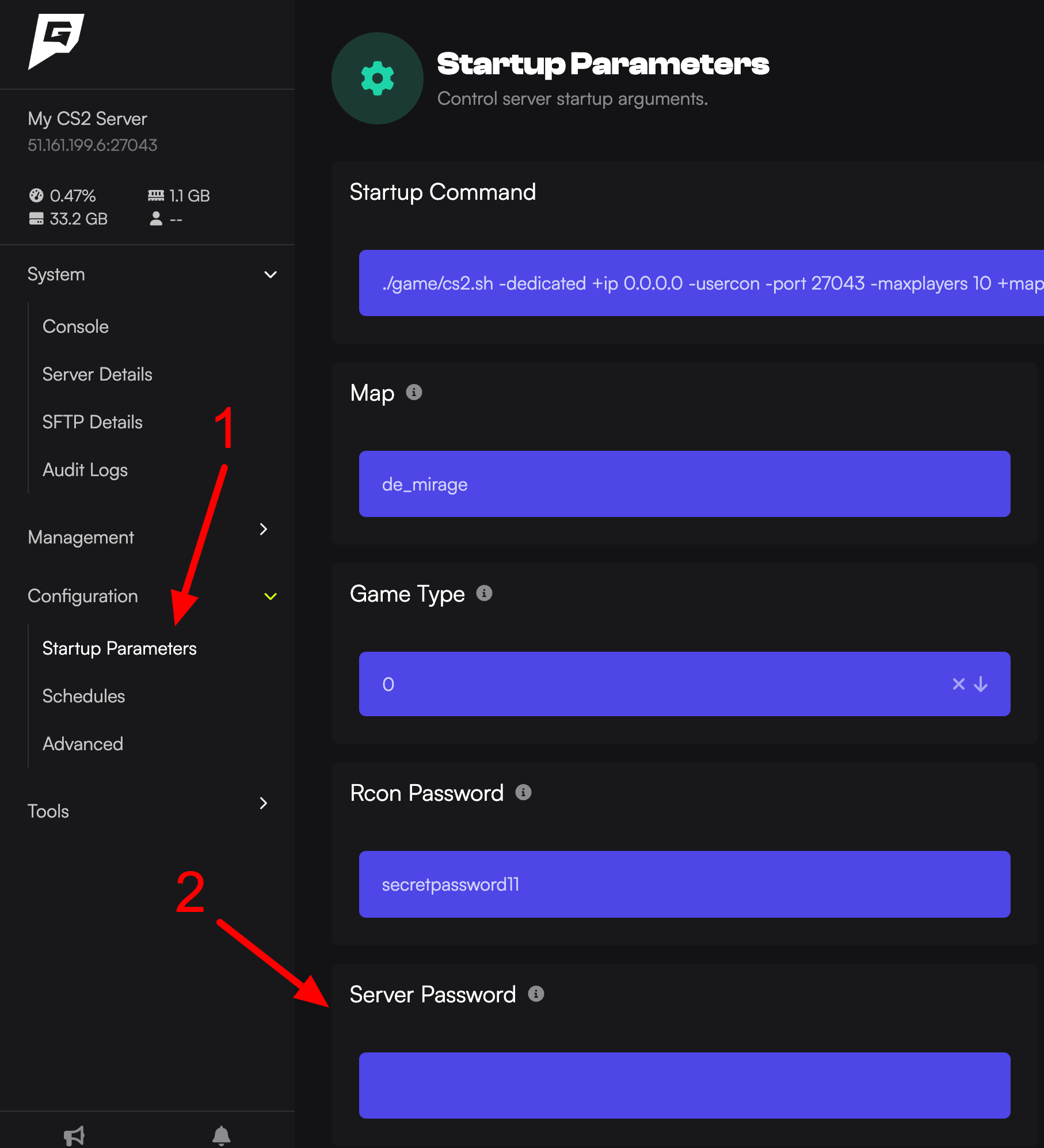
What this does is, it will automatically edit your /game/csgo/server.cfg setting for sv_password. You can check the password is actually set by typing sv_password into the console itself.
In-game clients must open the console and type password yourpassword before they can connect to the server.